HullScribe
A seed is only the beginning.
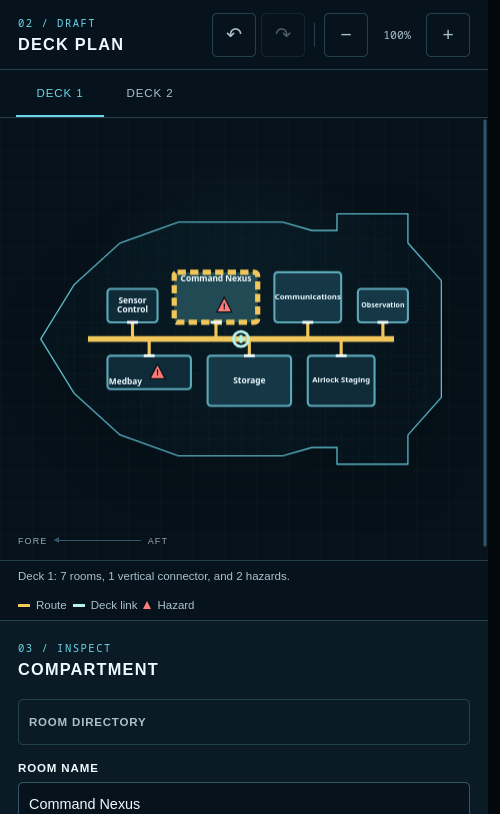
HullScribe generates coherent science-fiction deck plans you can adapt for the table. Choose a distinct ship or station silhouette and up to five decks, adjust the room density, then rename, move, resize, or lock rooms. Choose a room's primary door placement and HullScribe rebuilds its validated branch route.
No HullScribe account, campaign-upload backend, runtime AI, or external API. Project processing and autosave happen in your browser; exporting a file or copying a share link creates the copy you choose to move elsewhere.
Features
- Deterministic human-readable seeds
- Scout, courier, freighter, cruiser, and orbital-station hulls
- Distinct presentation silhouettes that preserve generator-1.0 project compatibility
- One to five connected decks
- Balanced or asymmetric layouts with three density levels
- Hull-contained rooms, doors, orthogonal routes, hazards, and deck links
- Exact-position hazard anchors with bounded leader callouts and repeated-hazard aggregation
- Rename, classify, move, resize, add, or delete rooms
- Choose a room's primary door side and offset and let HullScribe rebuild the validated branch
- Lock key rooms and reroll the rest
- Bounded undo/redo and room-directory navigation
- Blueprint and printer-friendly views
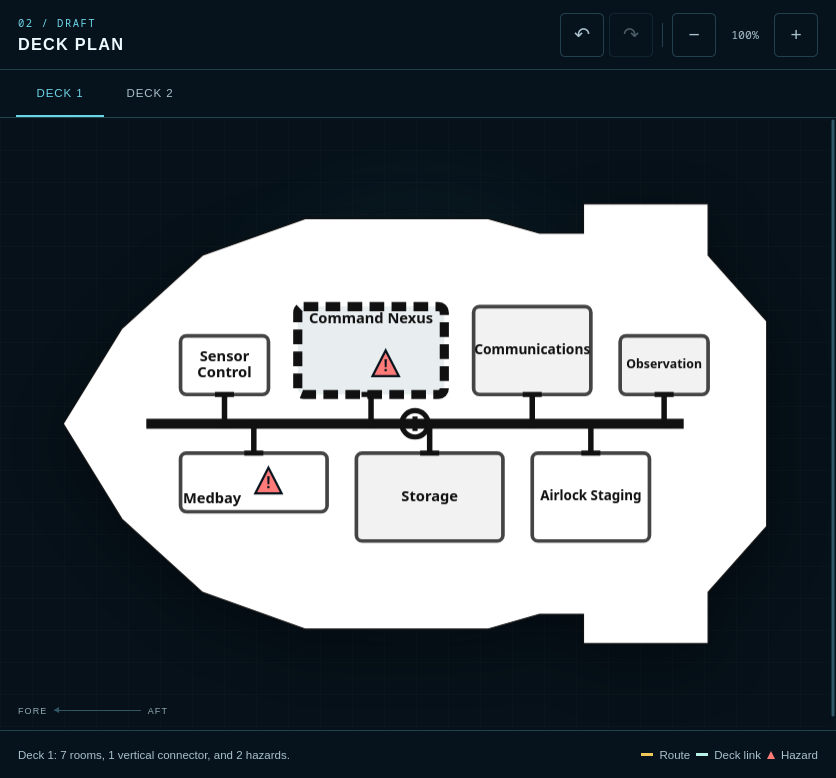
- Active-deck PNG/SVG, combined all-decks SVG, and versioned JSON
- 1200, 2400, and 3600-pixel PNG widths with optional transparent backgrounds
- Local autosave, strict imports, and non-destructive compressed share snapshots
- Fixed offline application shell on compatible browsers
- No application backend, telemetry, analytics, ads, remote assets, or paid APIs
How to use
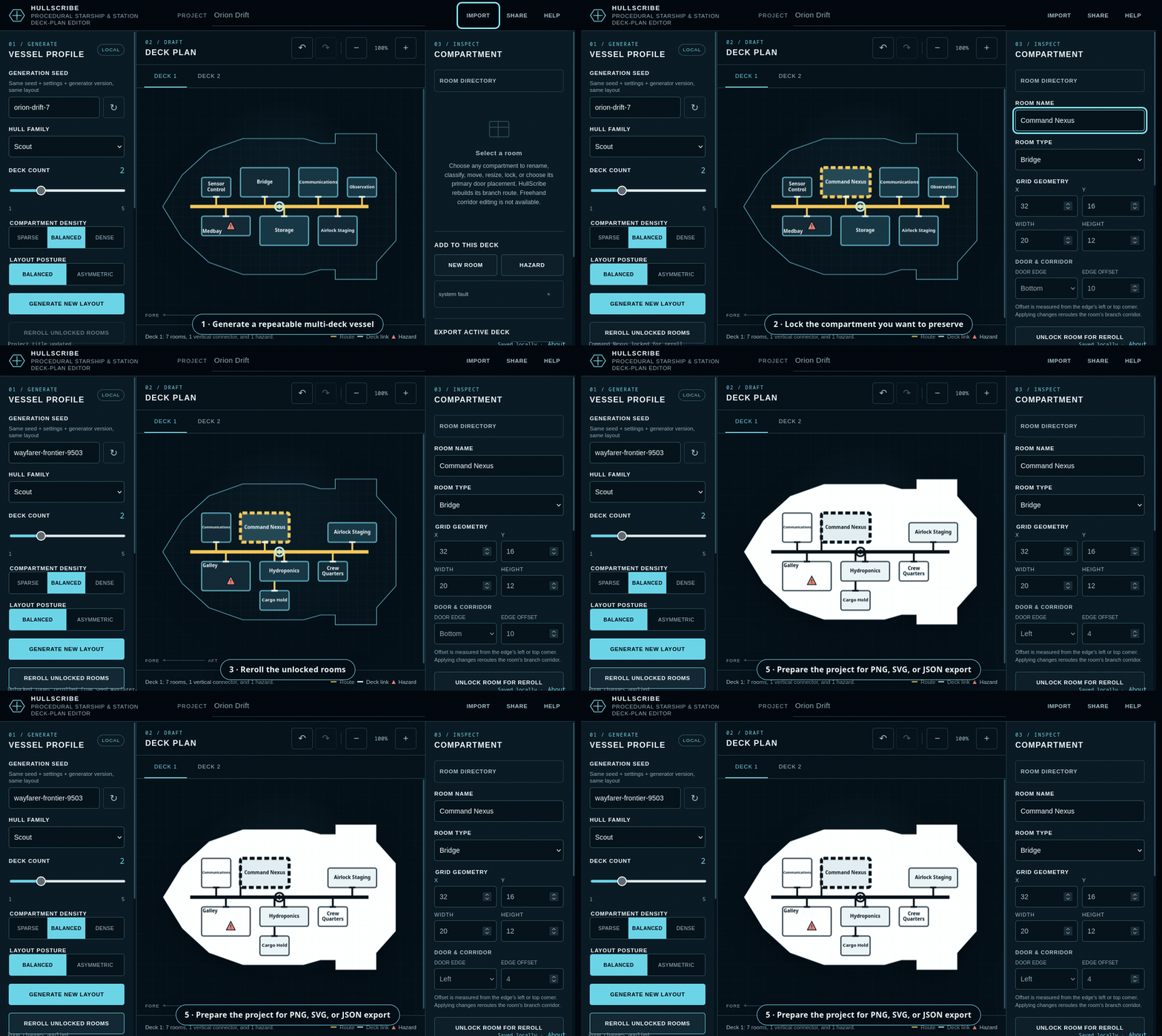
- Choose a hull, deck count, density, posture, and seed.
- Select Generate new layout.
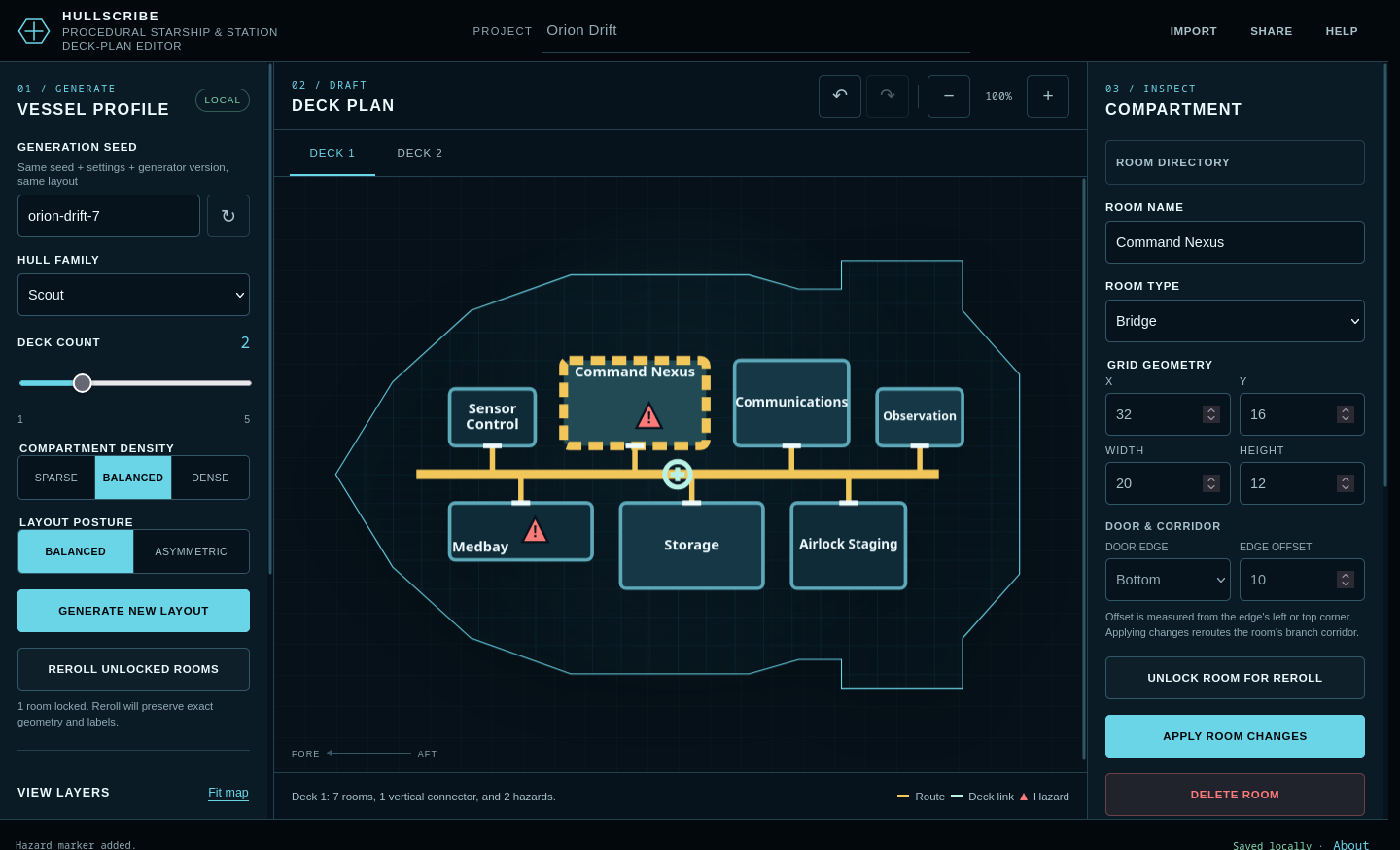
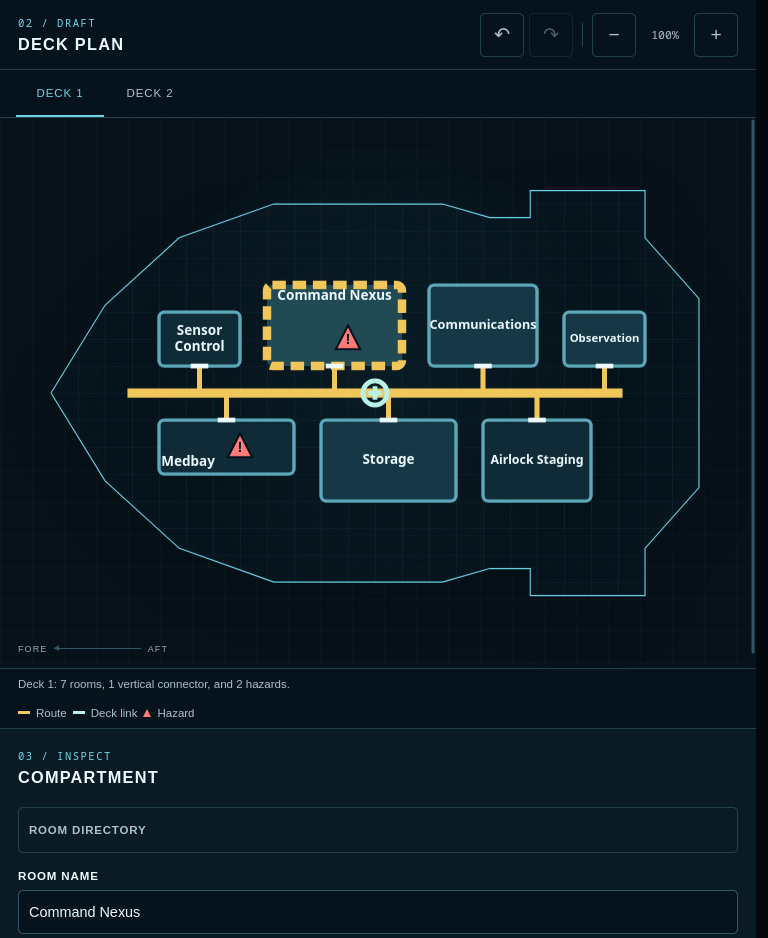
- Select a room on the map or in the room directory.
- Edit its label, type, grid geometry, lock state, or primary door placement.
- Lock important rooms before selecting Reroll unlocked rooms.
- Read a dotted hazard leader from its triangle back to the exact saved source point when a callout has moved to protect a room name.
- Export JSON before clearing browser data or moving to another browser or profile.
- Export PNG or SVG for your virtual tabletop, notes, image editor, or print workflow.
PNG and SVG are generic images. HullScribe does not export VTT walls, lighting, tokens, scene metadata, fog of war, or a platform-specific package.
Keyboard controls
EnterorSpace: select a focused map room- Arrow keys: move through deck tabs
Ctrl/Cmd + Z: undo a project edit outside text fieldsCtrl/Cmd + YorCtrl/Cmd + Shift + Z: redo outside text fields- Native browser undo remains available while editing text
Privacy and portability
HullScribe has no application account or application backend. The latest valid project is stored in this browser when local storage is available. Clearing site data removes that copy, so export JSON for a durable backup.
A share link contains an unencrypted compressed project snapshot. Anyone with the complete link can open it. Incoming links do not overwrite the local draft without an explicit choice.
The hosting platform and browser may process ordinary request and platform data under their own policies. Use the in-app Privacy notes for HullScribe's application-level behavior and review the host's own policy separately.
Browser and support note
The Firefox 152.0.5/Linux release harness exercises representative generation, editing, lock/reroll, sharing, imports, exports, responsive viewports, update handoff, and offline reload. Other browsers are unverified. Clipboard, downloads, install prompts, and offline behavior vary by browser and host. This is not a formal WCAG-conformance claim.
If you report a problem, please include the hull, normalized seed, browser, intended task, and the step that failed. Do not share a project export or share link if it contains private campaign information.
Important limitations
HullScribe edits rooms and controlled primary-door connections. It does not provide arbitrary freehand corridor drawing, tactical simulation, fog of war, real-time collaboration, accounts, or cloud saves.
Application and output rights
Subject to rights you have in any names, text, settings, images, or other material you add, you may use, edit, reproduce, publish, distribute, sell, license, and sublicense maps and HullScribe project files you create for personal or commercial purposes. Attribution to HullScribe is appreciated but not required.
These permissions apply to your generated outputs, not to the HullScribe application, code, branding, documentation, or release package. You may not redistribute, resell, mirror, white-label, or offer HullScribe itself as a competing product without written permission. See the included HullScribe Application and Output License v1.0 for complete terms.
Development disclosure
HullScribe was developed with AI-assisted coding, writing, and interface design. It contains no runtime generative-AI feature and sends no user project data to an AI service. Launch imagery consists of genuine application captures or original deterministic/vector composition; no stock, franchise, or image-model concept art is used.
Frequently asked questions
Is this an AI map generator?
No runtime AI is used. Layouts come from a deterministic local procedural generator. Development used AI assistance as disclosed above.
Does it upload my campaign?
No HullScribe application backend exists. Projects are processed in the browser. The host and browser still operate under their own policies.
Can I reproduce a map?
Yes. Keep the normalized seed and generation settings for HullScribe 1.0, or export the exact edited project as JSON.
Can I edit corridors directly?
Not as freehand polylines. You can select a room's primary door side and offset; HullScribe rebuilds and validates that room's branch corridor.
Where is my save?
The latest valid project is stored in this browser's site storage when available. Export JSON for backup or transfer.
Do share links replace my local project?
No. HullScribe asks before using an incoming shared snapshot.
What does a dotted hazard line mean?
The dot marks the exact saved hazard position. HullScribe may place the warning triangle nearby and connect it with a dotted leader so the room name remains readable. Several hazards in one room can share a numbered callout.
Can I use generated maps commercially?
Yes. Subject to rights in material you add, the HullScribe Application and Output License v1.0 permits personal and commercial use, editing, publication, distribution, sale, licensing, and sublicensing of maps and project files you create. It does not grant permission to redistribute or resell the HullScribe application itself or rights to third-party franchises or material.
What browsers are supported?
Firefox 152.0.5 on Linux is the verified HullScribe 1.0 QA environment. Other browsers are currently unverified.
Download
Install instructions
Play in your browser
No installation is required to use the embedded version. Launch HullScribe on this page and export project JSON for durable backups.
Downloaded static web package
- Extract the complete ZIP into its own folder.
- Serve that folder from a local HTTP origin. Direct
file://launch is unsupported. - For example, if Python is installed, open a terminal in the extracted folder and run:
python3 -m http.server 8000 --bind 127.0.0.1
On Windows, the equivalent may be:py -m http.server 8000 --bind 127.0.0.1 - Open
http://127.0.0.1:8000/in your browser.
Any ordinary static-file server may be used instead. HullScribe requires no application backend, account, paid API, or external asset.
Sample projects
Extract the samples ZIP. Open any included .hullscribe.json file through HullScribe's Import project control. The matching -all-decks.svg files are ready-to-view vector examples. Keep manifest.json with the archive if you want its recorded file hashes.
Storage note
Browser storage is not a backup. Export project JSON before clearing site data, changing browser profiles, or moving to another host.
Leave a comment
Log in with itch.io to leave a comment.